
One parent saves a recipe from TikTok, another parent heads to the supermarket, and a child remembers a missing lunch item halfway through the trip. Meanwhile, nobody has settled on dinner, the shopping list contains duplicates, and the recipe ingredients are scattered across messages, screenshots, and memory.
The best grocery list app for families must handle more than checking off milk. It should support family sharing, meal planning, recipe import, automatic list creation, aisle organization, cross-platform access, budget visibility, simplicity, and data portability. The right choice depends on where your household loses the most time. Some families need a dependable shared checklist. Others need a complete system that connects recipes, meals, shopping, cooking, and repeatable routines.
Grocery planning remains a repeated household task. One consumer study covering 369 grocery trips across two months found that households averaged 13.2 shopping trips, wrote 7.3 shopping lists, and purchased 5,173 items in total. The average list contained 20.1 items, and shoppers purchased 83.3% of listed items. The study also found that shoppers recorded about 40% of the items they ultimately bought, reinforcing the role of lists as an external memory aid, not merely a reminder note. You can review the consumer grocery-list study for the underlying research.
Below, you'll find a quick comparison table, ten detailed reviews, scenario-based recommendations, and a closer look at Mealdill. The goal is practical: match each household with the app it's most likely to use consistently.
1. Mealdill
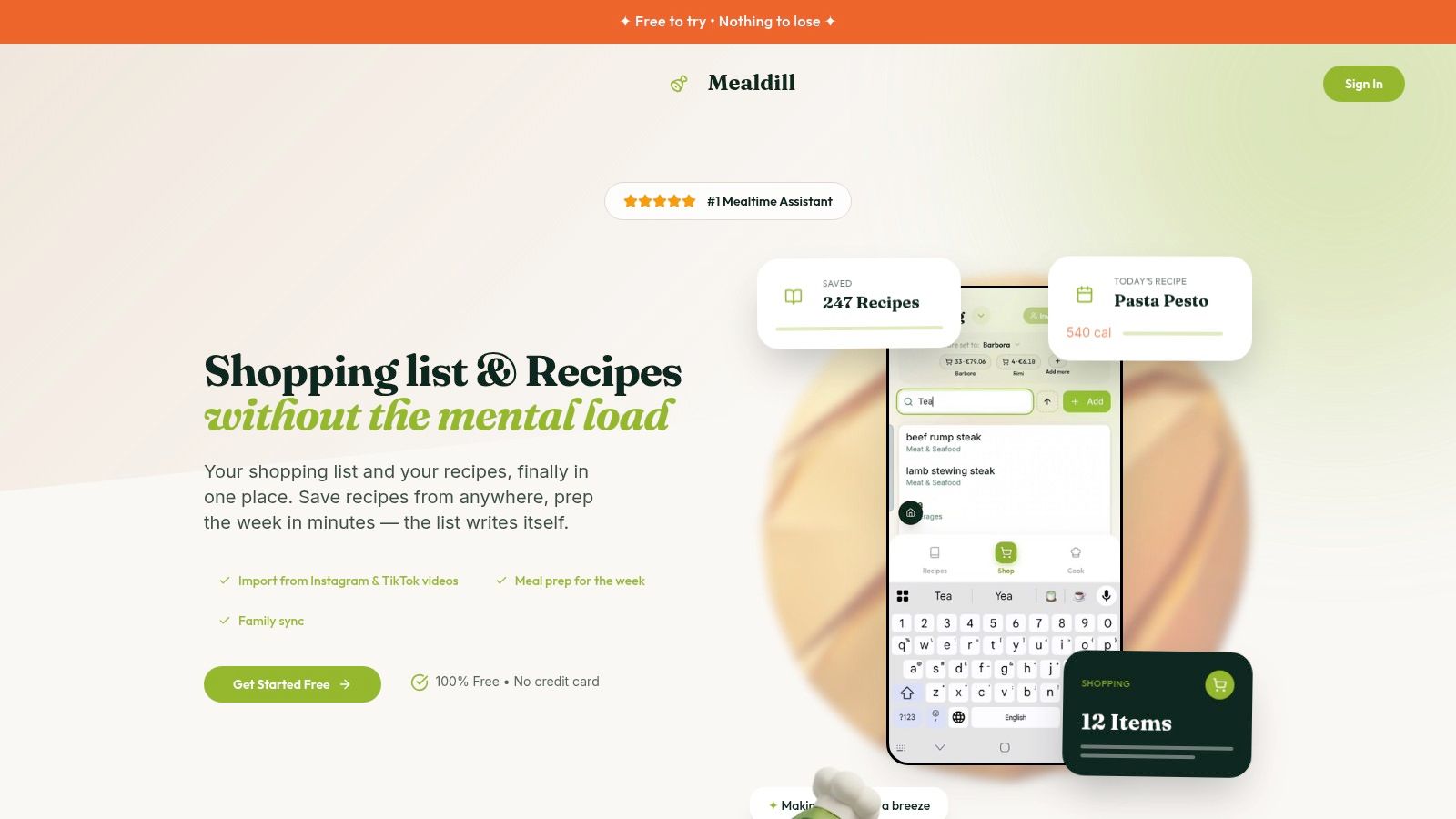
Mealdill is the strongest choice for families that want to connect recipe discovery, meal planning, grocery preparation, and cooking in one workflow. It's built for the household that keeps saving recipes from Instagram, TikTok, YouTube, food blogs, or handwritten notebooks, then struggles to turn those ideas into an actual week of dinners.
You can import recipes from social platforms or any URL, store them in a personal library, and organize them into reusable meal plans. Plans can match goals such as weight loss, muscle gain, or everyday healthy eating, while dietitian-created templates and the World's Recipe Search help families start without building everything from scratch.
Why Mealdill works for busy households
Mealdill's Smart Shopping Lists turn planned recipes into lists organized by aisle. That matters because list organization affects the physical shopping trip, not just the planning screen. Family Sharing keeps everyone aligned with shared lists and visibility into the day's recipe, reducing the familiar “what are we having tonight?” loop.
The predictive cart can suggest routine top-ups, while reusable meal-plan templates let families repeat successful weeks instead of rebuilding dinner from zero. Mealdill also includes step-by-step cooking guidance and basic calorie tracking, so the app remains useful after the shopping trip.
Best fit: Choose Mealdill when your family's biggest problem is the entire chain from “What should we cook?” to “What should we buy?” and “How do we make it?”
The standout shopping feature
In supported regions, Autoshop can build a matched basket through preferred local retailers, with delivery or pickup options and 0% price mark-up, according to Mealdill's product information. Availability depends on local retailer support, so this feature won't work identically for every household.
Mealdill offers a free-to-try experience and a free-forever tier, with a paid upgrade available when you need more. It currently works on Android and the web, while iOS is coming soon. Recipes can be exported, giving families a practical way to move their library if their needs change.
Pros
- Complete meal workflow: Connects recipe capture, meal planning, shopping, and cooking.
- Flexible recipe capture: Imports recipes from social video platforms, websites, and handwritten favorites.
- Smart shopping: Organizes ingredients by aisle and supports predictive top-ups.
- Family coordination: Keeps shared lists and meal visibility in one place.
- Reusable routines: Saves meal plans as templates for repeat weeks.
- Portable library: Lets you export recipes instead of locking them into the app.
Cons
- Regional shopping limits: Autoshop depends on supported retailers and locations.
- Platform coverage: iOS users need to wait for the upcoming release.
2. AnyList
AnyList is the best polished choice for families that already have a recipe habit and want a clean path from recipe to meal calendar to shopping list. Its shared lists update across phones and the web, and lists can be organized by aisle, store, or household purpose.
The recipe clipper is the core advantage. Save a recipe, keep it in your collection, place it on a drag-and-drop meal planner, and add its ingredients to a shopping list. That workflow removes much of the manual copying that causes families to abandon meal planning. It also supports multiple stores, which helps households separate a supermarket run from a warehouse-club trip.
Where AnyList earns its place
AnyList includes price tracking and running totals for households that want budget visibility while they shop. Those tools are especially useful when a parent builds the list at home and another person shops, because the shopper can see the same plan and total rather than relying on an outdated message.
Cross-platform access is another strength. Families using a mix of iPhones, Android phones, and computers can work from the same system. A household plan can extend premium access to invited family members, which makes adoption easier when several people need the advanced features.
Practical rule: Use AnyList if your family already knows what it likes to cook and needs a reliable system for turning those recipes into organized lists.
The trade-off is that some budgeting and meal-planning tools require the paid tier. Families wanting extensive health-focused planning, automated retailer ordering, or a highly guided cooking workflow may find Mealdill more complete. AnyList remains better for households that want a refined, list-centered interface without moving into a broader mealtime assistant.
For privacy details before inviting household members, review the Mealdill privacy policy.
Pros
- Strong recipe workflow: Moves smoothly from saved recipe to planned meal to shopping list.
- Reliable collaboration: Works well for couples, children, and mixed-device households.
- Multiple stores: Supports separate shopping routines.
- Budget awareness: Offers price tracking and running totals.
- Household premium: One plan can cover invited family members.
Cons
- Paid planning tools: Some of the most useful meal and budget features sit behind the paid tier.
- Less automated: It doesn't offer Mealdill's supported-region Autoshop workflow.
3. OurGroceries
OurGroceries is the best choice for families that want a simple shared list with fast adoption. It doesn't try to become a full meal-planning platform. Instead, it focuses on the moment when someone remembers an item, adds it quickly, and expects every shopper to see the update.
That simplicity helps with non-technical relatives, older family members, and children who only need to add or check off items. The app supports real-time household lists, multiple lists and items, categories, photos, and recipe-to-list support. Voice-assistant connections with Alexa and Google Assistant make hands-free additions practical during cooking or cleanup, and Apple Watch support helps shoppers check items without constantly handling a phone.
A dependable list-first tool
OurGroceries has a large adoption footprint. Its product comparison information reports 1M+ Android downloads and a 4.6/5 rating from 54.3K reviews for the app. Its Google Play listing shows a 4.7 rating with 55.9K reviews, while its App Store listing shows 4.8 with 583K ratings. These figures come from the OurGroceries Google Play listing and the cited product comparison page, and they indicate strong satisfaction at meaningful scale.
The interface is deliberately practical rather than visually elaborate. That's an advantage for a household that values speed over meal inspiration, but a limitation for families seeking recipe libraries, reusable meal templates, or automatic weekly planning.
Choose OurGroceries when: your family already knows what it buys and needs everyone to see the same list without a learning curve.
It's also a strong low-cost option, including a lifetime purchase option. For a family that wants a shared checklist, voice entry, and watch access, it's hard to justify paying for a more complex platform.
Pros
- Easy adoption: Relatives and children can learn the basic workflow quickly.
- Strong sharing: Keeps household lists synchronized.
- Voice and watch support: Useful for hands-free entry and in-store checking.
- Low ongoing cost: Includes a one-time lifetime option.
- Multiple list types: Supports groceries, errands, and other household lists.
Cons
- Basic planning: It offers less meal-planning depth than AnyList or Mealdill.
- Plain interface: Families wanting a modern recipe-first experience may find it dated.
A family recipe can still sit beside the list. For example, you can save a dependable dinner through this shared recipe reference and use OurGroceries for the actual household coordination.
4. Cozi Family Organizer
Cozi Family Organizer makes the most sense when groceries are only one part of a larger family-management problem. If your household already uses a shared calendar, to-do lists, recipes, and appointments, adding shopping to the same hub can reduce app sprawl.
Its grocery and to-do lists are shared across the family, while Shopping Mode is designed for the store. Checked items move down the list, and new additions stand out, which keeps the active shopping view easier to scan. Web access also helps parents print or review lists from a computer.
Best for families managing schedules
Cozi's main advantage isn't its grocery feature alone. It's the relationship between the grocery list and the rest of the household schedule. A parent can coordinate meals, appointments, school commitments, and shopping from the same family-oriented environment instead of maintaining separate tools for each responsibility.
That approach works particularly well for households where grocery planning often fails because nobody knows who's available to shop. A shared calendar can provide the context that a standalone list can't. If one parent is handling pickup and another is near the supermarket, the household can make a clearer decision about who takes the list.
The downside is complexity and monetization. Advanced list features and an ad-free experience require Gold or Max, and some family-focused capabilities sit inside the subscription. Families that only need a shared shopping checklist may find Cozi heavier than necessary.
Best fit: Pick Cozi if your family wants a household command center and grocery lists are part of that wider system.
Cozi won't compete with Mealdill for recipe capture, goal-matched meal plans, or automated shopping. It wins when calendars, chores, family scheduling, and lists need to live together.
Pros
- One family hub: Combines calendars, to-dos, recipes, and shopping.
- Useful store view: Shopping Mode makes in-store checking faster.
- Household access: Web support helps with planning and printing.
- Shared upgrades: Gold and Max plans apply across the family.
Cons
- Premium dependence: Advanced features and ad-free use require an upgrade.
- Less specialized: Meal planning and recipe automation aren't its central strengths.
5. Bring!
Families often stop using a grocery app because one person finds typing tedious. Bring! solves that participation problem with large, tappable visual cards instead of a text-heavy checklist. Children, partners, and relatives can select familiar product images without entering precise item names.
Shared lists update in real time, while templates and web access support planning on a phone or computer. Brand and retailer suggestions, location-based offers, and seasonal tips can appear in supported regions, so treat those features as useful extras rather than the reason to choose the app.
Built for shared shopping habits
Bring! suits households where different people contribute at different stages. One adult can start the list, another can add lunch supplies, and an older child can choose snacks or breakfast items. The visual interface lowers the effort required to participate, which matters when the main obstacle is getting everyone to use the same list.
A simple division of responsibility works well here. Give children a category, such as snacks or breakfast, and let them add items directly instead of passing requests through a parent. That turns list building into a shared routine and gives the app a clear role in family shopping.
Templates make repeat trips easier to rebuild. Create one for the regular supermarket run, another for a holiday meal, and another for household restocking. The web app also helps when someone prefers planning on a larger screen or needs access beyond a phone.
Bring! is strongest from list creation through the store. It supports sharing and visual checking, but it does not provide the full recipe workflow some families need. Saving recipes, choosing weekly dinners, generating a meal-based list, and reusing a complete menu still require another method. Optional capabilities may involve in-app purchases, and offers differ by region.
Choose Bring! when visual participation is the household's main problem. Choose AnyList or Mealdill when the harder task is turning saved recipes and planned dinners into a grocery list.
Pros
- Visual interface: Large cards make adding and checking items easy.
- Family-friendly collaboration: Children and users who dislike typing can contribute.
- Web access: Planning and shopping are not limited to a phone.
- Templates: Repeat shopping routines are quick to recreate.
- Regional suggestions: Offers and seasonal guidance may provide useful context.
Cons
- Limited meal planning: It is not a complete recipe and dinner-planning system.
- Regional variation: Offers and some features depend on location.
- Optional purchases: Some advanced capabilities may require extra spending.
6. Listonic
Listonic suits families that want a list-first app with budget visibility rather than a full meal-planning platform. It organizes items by aisle, alphabet, or custom order, while real-time sharing and notifications keep everyone working from the same list.
The running total gives it a practical advantage. Add estimated prices while preparing the list, then use the total as a spending checkpoint in the store. It is not a complete financial tracker, but it can help a parent spot an overfilled basket before checkout.
A practical fit for multi-store households
Listonic is particularly useful when shopping is split between several destinations. Keep the supermarket run separate from a bulk purchase or specialty trip, then arrange each list to match the store layout. That prevents one shared list from becoming a long mix of unrelated items.
Its AI shopping assistant can draft lists and suggest recipe ideas, which helps with quick planning. Families that save recipes, schedule weekly dinners, and reuse meal-based lists will still need a more structured system. Mealdill or AnyList is a better choice for that workflow.
The app also has a substantial Android presence. The cited comparison reports 10M+ Android downloads and a 4.6/5 rating from 296K reviews. These figures appear in Listonic's comparison of shared grocery apps. They indicate broad adoption, but household fit depends more on how your family plans and shops.
Listonic's free plan covers the core list workflow, while Premium removes ads and adds an upgrade path. Pricing and available options can differ by App Store region, so check the app before subscribing.
Choose Listonic if your family already knows what to buy and needs faster coordination, clearer store organization, or a spending reference. Choose Mealdill or AnyList if the larger problem is turning recipes and planned dinners into repeatable shopping routines.
Pros
- Budget visibility: Running totals help shoppers monitor planned spending.
- Aisle organization: Supports aisle, alphabetical, and custom sorting.
- Fast sharing: Real-time updates and notifications suit busy households.
- Multiple stores: Separate lists work well for different shopping destinations.
- Quick setup: Families can start without building a full meal-planning system.
Cons
- Limited recipe depth: AI suggestions are not a personal recipe library.
- Regional pricing: Premium options can vary by store and location.
- List-first design: Automated meal plans require another app or method.
7. Out of Milk
Families often buy duplicate staples because nobody knows what is already at home. Out of Milk addresses that problem with grocery, pantry, and to-do lists together. The pantry tab records household inventory, while the grocery tab keeps purchase needs separate.
That division makes the app useful for homes where flour, cereal, cleaning supplies, or other basics disappear from view. Add an item when it runs out, then use recent items to add it again quickly. Category management keeps routine shopping readable, and the familiar list format is easy to explain to relatives who do not want a feature-heavy platform.
Out of Milk fits a pantry-control problem better than a meal-decision problem.
Use it when the family already knows what it cooks and needs a reliable memory for staples, errands, and separate shops. It supports multiple lists, so a supermarket run and a household to-do list do not have to compete for space. It does not connect recipe discovery, weekly meal planning, and automated shopping as closely as Mealdill, AnyList, or Paprika. A family trying to turn saved recipes into repeatable dinners should use a meal-planning platform instead, such as Mealdill's family recipe example.
The interface feels older than newer competitors, and development appears slower. Families that want frequent design changes or advanced automation may find that limiting. For households satisfied with a straightforward workflow, that simplicity is the point.
Use the pantry tab as the household's memory: Add items when they run out, not when someone is already standing in the supermarket.
Choose Out of Milk for older devices, relatives who prefer familiar list interfaces, and families that want an optional ad-free upgrade with flexible payment choices. Choose another app when the household needs recipe storage, weekly plans, or a repeatable meal-to-cart routine.
Pros
- Pantry tracking: Separates inventory from shopping needs.
- Simple interface: Easy to teach to relatives.
- Multiple list support: Handles groceries, errands, and separate shops.
- Quick re-adds: Speeds up recurring purchases.
- Older-device friendly: Requires little setup.
Cons
- Slower evolution: Includes fewer newer planning features.
- Limited meal workflow: Recipes and weekly plans are not its focus.
- Less polished: Families wanting a contemporary interface may prefer Bring! or AnyList.
8. Buy Me a Pie!
Buy Me a Pie! suits families that need a shared checklist, not a meal-planning system. Its color-coded categories make items easy to scan, and multiple lists separate different stores, events, or shopping purposes.
A household can share lists in real time across iOS, Android, and the web. One partner can split the shopping, children can add requests, and anyone can check off purchases without learning a larger planning platform. That focused approach works for families whose recipes and meal decisions happen elsewhere.
A list-first tool for settled routines
Buy Me a Pie! fits a family that already knows what it plans to cook. Add the required items, share the list, and shop. Separate lists are useful for a warehouse club, supermarket, and local market, especially when each trip follows a different routine.
The trade-off is clear. Buy Me a Pie! does not store recipes, build weekly menus, or turn cooking plans into a predictive cart. Families that discover recipes, plan meals, and reuse successful dinner routines inside one app should look at Mealdill, AnyList, or Paprika instead. Those tools cover more of the workflow, while Buy Me a Pie! keeps the list itself quick and uncluttered.
Use separate lists for separate shopping jobs: Keep the supermarket, warehouse club, and event supplies apart so each shopper sees only the items needed for that trip.
Choose Buy Me a Pie! when shared access and low setup matter more than recipe capture or automated planning. It is especially practical for households split across device platforms, since web access gives shoppers another way to reach the current list.
Pros
- Low learning curve: Family members can start quickly.
- Cross-platform sharing: Works across iOS, Android, and web.
- Color categories: Makes lists easier to scan.
- Multiple lists: Separates stores and events.
- Minimal clutter: Keeps planning features out of the way.
Cons
- Few power features: Budgeting and meal planning are limited.
- No recipe workflow: Recipe discovery and storage happen elsewhere.
- Less automation: It will not create a weekly shopping routine from meal plans.
9. Paprika Recipe Manager
Families that repeatedly cook from saved recipes should put Paprika near the top of their shortlist. Paprika Recipe Manager treats the recipe library as the foundation, then connects meal planning and grocery generation to it.
Save recipes clipped from websites, plan meals, and create a shopping list without rebuilding ingredients manually each week. Paprika organizes list items by aisle, so the finished list is useful in the store rather than just a collection of recipe ingredients.
Best for recipe-led routines
Paprika suits households that want to preserve family recipes and keep them available offline. Paprika Cloud Sync connects devices, and native apps support iOS, Android, Mac, and Windows. Offline access is practical in a store with weak connectivity or in a kitchen where the cook cannot depend on a constant signal.
The workflow is strongest when one person maintains the recipe collection and turns planned meals into a list. Real-time, multi-user list editing is less central than it is in OurGroceries, AnyList, or Bring!. Families that divide shopping between several people may therefore need a separate shared-list app.
Paprika's version 3 uses a one-time purchase per platform instead of a subscription. That suits families who want a durable recipe tool, though purchasing separately on different platforms raises the total setup cost.
Choose Paprika when: your family's priority is preserving and shopping from a personal recipe collection, not coordinating a live household checklist.
Paprika also works well beside a shared list app. Keep detailed recipes and meal planning in Paprika, then send the shopping work to OurGroceries or Buy Me a Pie! when several shoppers need simultaneous list access.
Families seeking recipe capture and meal planning in one environment can explore a broader recipe library experience. Mealdill is the better fit when the household wants those steps connected instead of maintaining a recipe-first tool alongside a separate list.
Pros
- Excellent recipe organization: Clips and stores recipes from websites.
- Clean grocery generation: Builds aisle-organized lists from recipes.
- Offline access: Useful in kitchens and stores with weak connectivity.
- Cross-device support: Works across major desktop and mobile platforms.
- One-time purchase model: Version 3 avoids a recurring subscription.
Cons
- Separate platform purchases: Each platform requires its own purchase.
- Limited live collaboration: It is less suited to simultaneous household editing.
- Recipe-first focus: Families needing budgets or broader family coordination need another tool.
10. FamilyWall
FamilyWall fits families that need grocery planning alongside daily coordination. It combines shared calendars, messaging, to-dos, documents, location tracking, and shopping lists, so parents can connect errands with schedules, appointments, and household files.
The practical advantage is context. A parent can check where a family member is, review a school document, confirm the week's schedule, and update the grocery list without moving between several apps. Its meal planner can add ingredients to a shopping list in one tap, while custom lists handle school supplies, travel items, or recurring home tasks.
Where FamilyWall earns its place
FamilyWall works best when coordination is the household's main problem. Location sharing can help families align pickups and shopping, and document storage keeps important files with the conversations and tasks they support. Those features matter more than recipe discovery for households managing busy schedules.
The grocery workflow remains useful, but it is not the app's deepest specialty. FamilyWall offers less recipe importing and reusable meal-plan structure than Mealdill, while families wanting a stripped-down shared checklist may prefer Buy Me a Pie!. For a dedicated recipe-to-list workflow, explore Mealdill.
Set up one routine first: plan meals, generate the list, and assign the shopping task. Add location or document features only when the family has a clear use for them. That approach makes adoption easier and shows whether FamilyWall is helping with coordination rather than just collecting another set of tools.
Best fit: Choose FamilyWall when shopping depends on shared schedules, locations, documents, and family responsibilities.
It is a strong choice for a household management system with groceries built in. It is a weaker choice for cooks whose priority is saving recipes, reusing meal plans, and turning a personal recipe collection into repeatable shopping lists.
Pros
- Location and schedule coordination: Connects errands with family movements and appointments.
- Document storage: Keeps household files near related tasks and conversations.
- Meal-to-list connection: Adds planned ingredients to shopping lists quickly.
- Custom lists: Supports groceries, school supplies, travel, and other recurring needs.
- Cross-platform access: Works on iOS, Android, and the web.
Cons
- Broader than grocery planning: Extra household tools may be unnecessary for list-only shoppers.
- Premium access: Full functionality may require a subscription.
- Less recipe-specialized: It does not match Mealdill or Paprika for recipe capture and reuse.
Top 10 Family Grocery List Apps, Feature Comparison
| Product | Core features | UX & Rating | Unique selling points | Target audience | Price / Value |
|---|---|---|---|---|---|
| 🏆 Mealdill | Recipe import (TikTok/IG/URL/handwritten), reusable meal plans, Smart Shopping Lists, Family Sharing | ★★★★☆ fast, family-first | ✨ AI Autoshop (region-limited), World's Recipe Search, exportable data | 👥 Busy families & goal-driven eaters | 💰 Free‑forever + paid upgrade; autoshop fees vary |
| AnyList | Shared real-time lists, recipe clipper, drag‑drop meal planner, aisle sort | ★★★★☆ polished sync | ✨ Household premium for all members, price tracking | 👥 Household cooks & planners | 💰 Free + Premium subscription |
| OurGroceries | Real-time shared lists, voice assistant (Alexa/Google), photos, simple UI | ★★★★☆ lightweight & reliable | ✨ Strong voice/watch support; lifetime purchase option | 👥 Non‑technical families & elders | 💰 Very low cost; one‑time lifetime option |
| Cozi Family Organizer | Shared groceries + calendar + meal planner, Shopping Mode, web access | ★★★★☆ family hub | ✨ Shopping Mode for in‑store flow; family-wide upgrades | 👥 Families needing calendar + lists | 💰 Free; Gold/Max subscription for ad‑free & premium |
| Bring! | Visual shared lists, large tappable tiles, templates, brand-aware suggestions | ★★★★☆ visual & easy | ✨ Brand/retailer suggestions & shareable templates | 👥 Partners, kids & visual users | 💰 Free + in‑app purchases / region offers |
| Listonic | Aisle-sorted lists, price tracking, AI shopping assistant, real-time sharing | ★★★★☆ budget-friendly | ✨ AI assistant for quick lists & suggestions | 👥 Budget-conscious shoppers & multi-store users | 💰 Free + inexpensive Premium (ad-free) |
| Out of Milk | Grocery / pantry / to-do tabs, quick re-add, category management | ★★★☆☆ classic & simple | ✨ Pantry management; multi‑list shopping | 👥 Users on older devices / simple workflows | 💰 Free + optional ad‑free upgrade |
| Buy Me a Pie! | Real-time shared lists, color categories, multiple lists per store | ★★★☆☆ minimalist & clear | ✨ Color-coded aisle grouping; easy sync | 👥 Users who want minimal, visual lists | 💰 Free + paid features |
| Paprika Recipe Manager | Powerful recipe clipper, meal planning, aisle‑organized grocery lists, offline sync | ★★★★☆ robust recipe tool | ✨ Strong offline support; one-time purchase model | 👥 Recipe-focused families & home chefs | 💰 One-time purchase per platform |
| FamilyWall | Shared grocery/meal planner, calendars, messaging, file attachments | ★★★☆☆ full family hub | ✨ Docs, location, budgets + meal→list flow | 👥 Families wanting an all‑in‑one organizer | 💰 Free + premium unlocks |
Choose the App Your Family Will Actually Use
There isn't one universal winner because families don't all lose time at the same point. A household that can't decide what to cook needs a different tool from a household that already has a stable meal routine but keeps buying duplicate items.
Choose Mealdill if you want the fullest connection between recipe capture, reusable meal plans, aisle-organized lists, family sharing, cooking guidance, and supported-region Autoshop. It's the clearest recommendation for busy parents who want to reduce decision fatigue before the shopping trip begins.
Choose AnyList for a polished recipe-to-list workflow with meal planning, shared access, multiple stores, and budget tools. It's the strongest list-centered choice for families that already maintain a recipe routine.
Choose OurGroceries or Buy Me a Pie! when simplicity matters most. OurGroceries has stronger voice and watch integrations, while Buy Me a Pie! keeps the experience minimal with color-coded lists and straightforward cross-platform sharing.
Choose Cozi or FamilyWall when grocery shopping belongs inside a larger family-management system. Cozi is a natural fit for households already coordinating calendars and to-dos. FamilyWall is better when you also want messaging, documents, location, and broader family workflows.
Choose Paprika if your family's most valuable resource is a personal recipe library. It's excellent for clipping, preserving, planning, and repeatedly shopping from recipes, but it isn't the best live collaboration tool.
Choose Bring! for visual collaboration, especially if children or non-text-first family members need an easier way to add items. Choose Listonic when running totals, aisle sorting, and multi-store shopping are more important than deep meal planning. Choose Out of Milk when pantry tracking and a familiar list interface solve the central problem.
Start implementation with one recurring shopping routine. Invite every household member who adds, approves, or shops for food. Import a few dependable recipes, build one reusable meal-plan template, and use the same shared list for the next planned shop. After the first week, review what caused friction. Did someone miss a list update, add vague items, forget pantry inventory, or struggle with the platform?
Keep the system narrow at first. A family doesn't need every feature activated on day one. It needs one place for dinner decisions, one shared list, clear responsibility, and a routine that survives a busy week. Before committing, verify platform support, regional availability, retailer connections, and which features require payment.
Mealdill connects recipe imports from social platforms and websites with reusable meal plans, aisle-organized Smart Shopping Lists, Family Sharing, and supported-region Autoshop. Visit Mealdill to turn scattered recipe ideas into a family-ready plan for the week.


